Social Share

Showing posts with label ANDROID. Show all posts

Saturday, 14 October 2017

Unknown

Google's Android Messages app hits 100 million downloads


Google has a long and often complicated history with messaging. For a time, there was no core Android SMS app while Google dabbled with SMS in Hangouts. Well, the Nexus 6 debuted with the Messenger app, later renamed Android Messages. Hangouts has since lost SMS capabilities, and now the Messages app has hit 100 million downloads in the Play Store.
We've covered Messages over the years because it's one of the apps that ships pre-installed on Google's phones. However, some other OEMs (eg. Motorola) also use it as the stock SMS app. I personally always install it on my phones because it's much prettier than the apps from LG, Samsung, and others.
In its three years of existence on the Play Store, Android Messages has racked up more than half a million reviews to go with its 100 million downloads. This download block stretches to 500 million, so we won't have cause to celebrate another milestone until Messages has about five times as many downloads as it has right now.

source
Read More
Unknown

Oreo comes to the OnePlus 3/3T thanks to the latest Open Beta


OnePlus continues to impress: both of its 2016 flagships, the 3 and 3T, are getting Oreo thanks to the Open Beta program. So if you're running OnePlus' latest and greatest software, then this is an update worth getting excited for. And if you're not living life on the edge yet, then this may encourage you to do so.
As always, here's the update changelog:
System
  • Update to Android O (8.0)
  • Added Picture in Picture
  • Added Auto-fill
  • Added Smart text selection
  • New Quick Settings design
  • Updated security patch to September
Launcher
  • Added notification dots
  • Now able to upload photos directly to Shot on OnePlus
Known issues of the first Android O Beta
  • Fingerprint unlock may be a bit slow in some situations
  • Shortcut to access Google Photos is unavailable
  • Stability of NFC and Bluetooth need to be improved
  • Performance and compatibility of 3rd party apps will be optimized continuously
  • Complete device tree will be released after a week
The OnePlus Music app has been removed from this build.
It goes without saying that the jump to Android 8.0 is awesome. With it comes things like picture-in-picture, auto-fill, and smart text selection. The stock launcher also has notification dots now, a feature that I've grown to love. However, with this being a beta build, there are a few things to watch out for.
I don't want to insult your intelligence by reiterating the known issues section in the changelog, but I applaud OnePlus for being transparent about it — especially the point about NFC and Bluetooth needing improvements. If you're willing to deal with those problems, then go ahead and update or flash the Open Beta. The source links below have the downloads for both the OP3 and OP3T.
Read More

Friday, 13 October 2017

Unknown

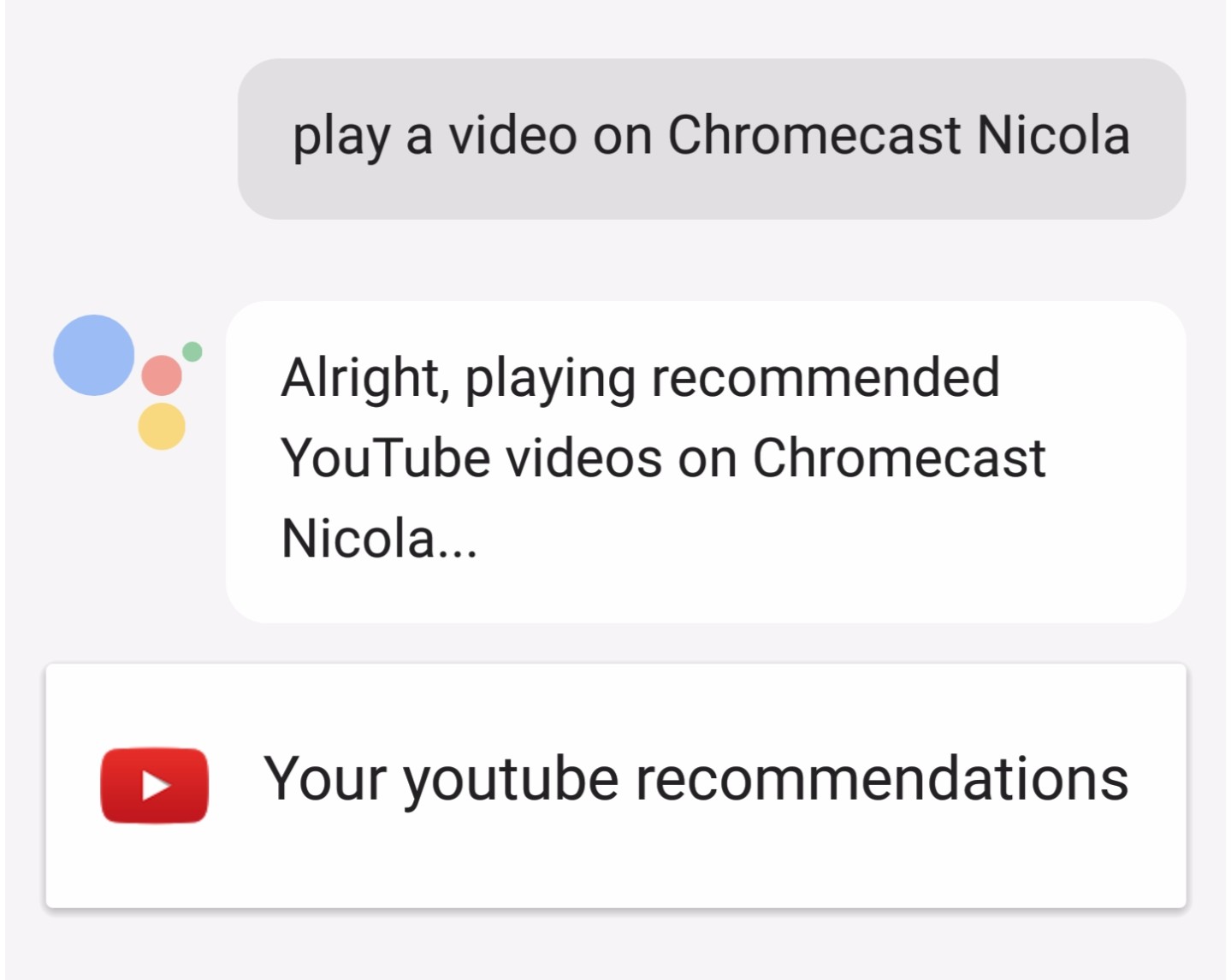
[Praise Slow Google] It's now possible to control Chromecast music and TV playback from your phone's Assistant, not just Google Home


The fragmentation of what Google Assistant can do on which device is, to say the very least, beyond frustrating. You issue a command on your phone and it works, then you try the same on your Google Home and it says it can't do that yet. You try something else on your Google Home and it works, but it doesn't from your phone, or your watch, or your TV, or Allo. It's disheartening when you know the Assistant could be so cool, but its implementation is so heterogeneous that it's impossible to explain that to a regular human.
Take for example the action of playing something on your Chromecast, be it a Chromecast connected to your TV, a Chromecast Audio, or a speaker with Chromecast built-in. If you had a Google Home, you could issue a command to play media on it, but no other form of Assistant supported it. Read: You couldn't do the same from your phone. That was mindbogglingly stupid. Why on earth was this not available to phone users? Why was it only possible on Google Home? God knows (ie. probably even Google doesn't know).
WTF is this? This isn't what should happen.
So you can imagine our absolute elation when we received several reports of this finally, finally, finally (not enough "finally"s in the world to describe this) working on Assistant on the phone. It works with both music and videos, and you can specify which Chromecast (Audio, TV, Chromecast built-in speakers, etc) to send your media to. You can also control playback from your phone, like skipping songs, pausing, resuming, stopping, changing the volume, and so on.
 
This is how it should work.
You can finally control your connected speakers and TVs from your fancy phone, no need for a Google Home anymore. It should also be useful if you're in a room where there is a Chromecast device, but there's no nearby Google Home. For example, I used to have to walk into the hallway to issue commands to my kitchen speaker, then walk back into the kitchen. Now I can just talk to my phone from the kitchen. Oh the world we live in!
I tested this several hours ago on my phone when we started getting tips about it and it wasn't working for me. So the functionality may either be rolling out gradually or it could need something to make it work. What that something is, I don't know, which is always the case with every Google/Assistant/Home feature nowadays. One of our tipsters doesn't have a Home at all, so it should work even if you haven't set up a Google Home in your Home Android app. Maybe it needs some specific version of the Google app, or the Google Play Services, or a specific version of the Chromecast firmware, or maybe it only works on Pixels, or maybe it's geo-limited, or this or that or all. So try it out on your devices and let us know if it's working or not for you.

source
Read More

Thursday, 12 October 2017

Unknown

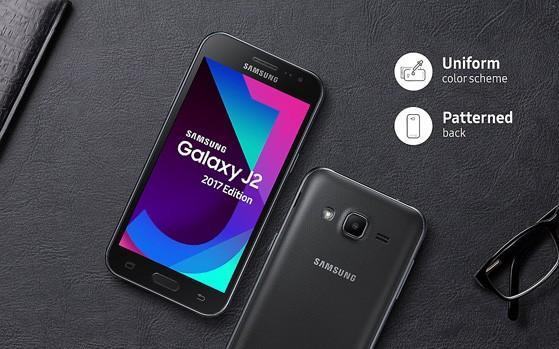
Samsung Galaxy J2 (2017) quietly Launched in India, Specs And Price

Galaxy J2 2017
Image of the newly launched Samsung Galaxy J2(2017). Image courtesy: indiatoday.intoday .in
When it comes to budget smartphones, all major brands have their offerings, but Samsung has its majority of customers who still prefer to buy smartphones through the offline market. Samsung has today launched its new smartphone in the J-series known as the Galaxy J2(2017).
Samsung Galaxy J2 an entry-level device from Samsung but still offers all essential features what a consumer can expect from an Android. Let’s check out its specifications and pricing.
Samsung Galaxy J2(2017) is a 4G Dual-SIM handset and is powered by an entry-level Exynos Quad-Core processor clocked at 1.3Ghz coupled with 1GB of RAM. The phone offers 8GB of internal storage which is expandable up to 128GB’s via micro-SD card.
The phone is targeted to an entry-level user who just wants an Android device to run basic Social networking apps or casual games. The phone runs on Samsung’s custom TouchWiz UI.
In the front, there is a 4.7(inch) AMOLED Display with a resolution of 540 x 960 pixels compared to the old J2 which has a 5.0(inch) Screen. In the rear, there is a 5MP AF Camera with an LED Flash, and in the front, a 2MP shooter for Selfies is present.
The phone comes with an Ultra Data Save function which saves the extra data utilized when browsing the internet. It runs on a 2000mAh battery and will be available in Black/Gold colors. The handset is priced at 7,350 INR which according to us is expensive.
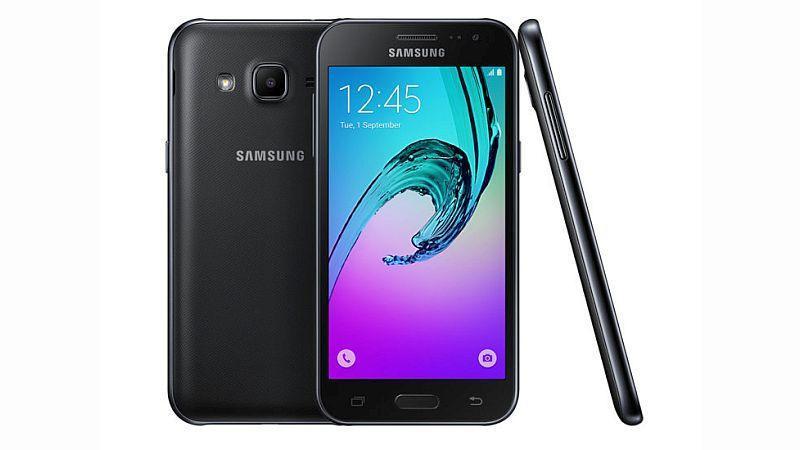
Galaxy J2 2017
Image of the Galaxy J2(2017).
Image courtesy: gadgets.ndtv .com
So by spending 7K, you are getting a qHD screen, a low power processor and only one gig of RAM which is very less as compared to other devices like Redmi 4, etc. For further updates stay tuned to us.
Read More
Unknown

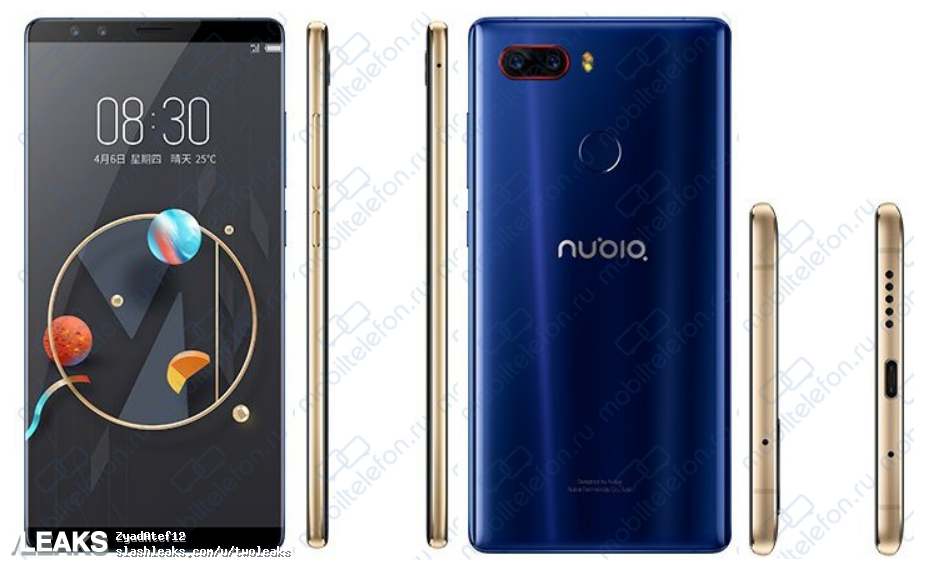
ZTE Nubia Z17 S and Z17 Mini S Leaked Online, Checkout the Amazing Images

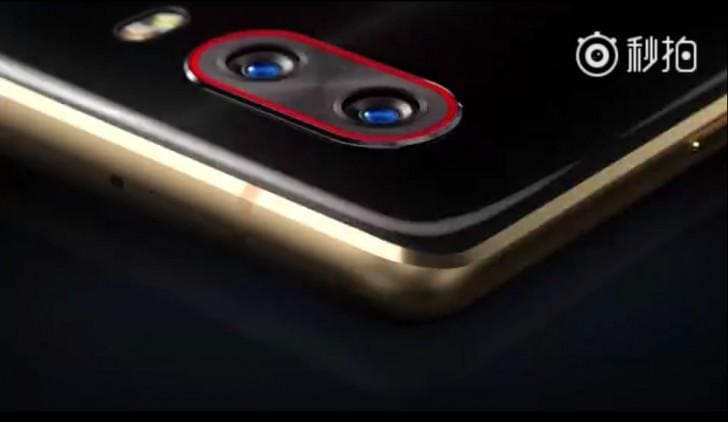
Nubia Z17 S Camera
Image of the upcoming ZTE Nubia Z17 S. Image courtesy: gsmarena .com
ZTE, a Chinese brand has earlier launched its Flagship the ZTE Nubia Z17 though it was not very successful as already other smartphones with similar specs and lesser price were there on the market. Now it looks like this time ZTE is cooking something special for the consumers. The fresh news suggests that the images of ZTE’s two new devices got leaked online and they are looking pretty impressive as always. Let’s check out the expected specs and pictures of the devices.
Zte Nubia Z17 S
Leaked image of the ZTE Nubia Z17 S.
Image courtesy: slashleaks .com
Firstly, we will be talking about the ZTE Nubia Z17S which will be the successor to the current Nubia Z17. As per the leaked image, the phone has a glass design in the rear which looks amazing and at the same time is similar to other flagships like Galaxy Note 8, Mi MIX 2, etc. In the rear, a Dual-Camera setup can be seen with a Dual-LED Flash. The phone will run on ZTE’s custom UI based on Android 8.0 Oreo.
In the front as well a Dual-Camera setup is present and this time ZTE is coming with a Bezel-Less Screen, as per the previous rumors the device will have a small 3mm bezel at the top and bottom, and due to this, the Fingerprint Scanner is placed in the rear. ZTE has omitted the 3.5mm jack and instead of that USB Type-C charging port will doubles as the audio jack. The charging port and speakers are at the bottom, and only a mic is present on the top.
Zte Nubia Z17 mini s
Leaked image of the ZTE Nubia Z17 Mini S.
Image courtesy: slashleaks .com
Another device which is its Mini variant known as the ZTE Nubia Z17 Mini Salso got leaked. Being a mini version, it will not have a Bezel-Less screen which is visible in the pictures. It too has a Dual-Camera setup in the rear with Dual-LED Flash, and in the front as well a Dual-Camera setup can be seen. It features a Fingerprint Scanner in the front, unlike its bigger sibling. There is no 3.5mm jack on this phone as well and the Type-C port, Speakers, are at the bottom.
The specs of the two are not yet leaked or revealed, but the two smartphones are rumored to come with Facial Recognition, Z17 S will be available in Black and Blue colors while Z17 Mini S will be made available in two shades of Blue. For further updates stay tuned to us.
Read More

Wednesday, 11 October 2017

Unknown

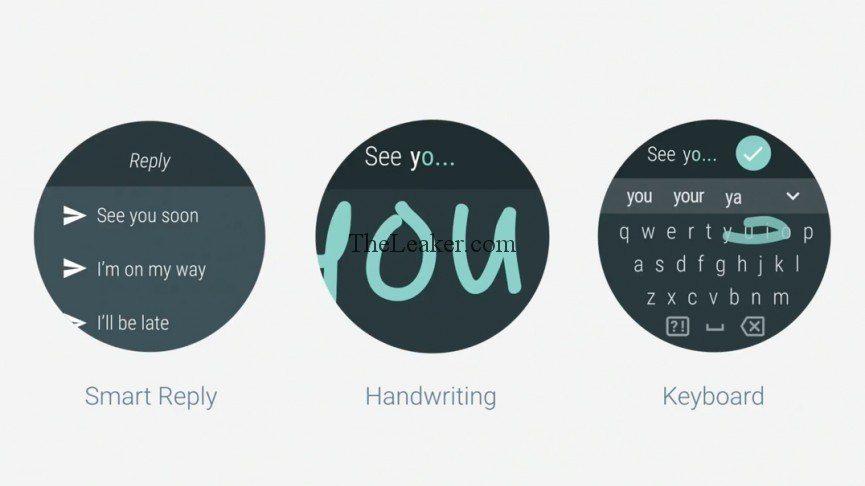
(Download) Get Android Wear 2.0 Update Features Via Play Store App


The craze of Google’s Android wear and when it launched is not quite the same now, as the new  Android Wear 2.0 version got a flat response and major OEMs like Motorola are now leaving the platform for a while till it as well as the market for it becomes more mature. This thus resulted into the Apple watch securing top place in the market for smart wearables.
So, Google is trying hard, to get Android wear more efficient and making the updates more accessible now. The new update here is that you can find the latest Android wear updates from the Google Play store itself and you don’t have to wait for an Android Wear 2.0 update OTA to roll-out and wait for your region to get included. Instead, this way is quicker and brings a lot of ease to deliver the update to more users.
Moreover, this was further confirmed by a Googler, and he posted on G+ about the same, the updates will now get delivered from Play store, making them quickly spread across many users. What this will guarantee that people get them as soon as they are launched and on top of that it won’t frustrate users who might leave the Android wear platform in favor of Apple’s just for getting sluggish updates.
And was seen into effect for the first time, as the update was released last week, which brought many new features mentioned below:
  • Newly enhanced software that overcomes entering into watch face selector
  • Chat support for third-party apps, for Contacts
  • Improved search results in play store
To download, the Android wear app just visit here!
Read More

Tuesday, 10 October 2017

Unknown

Chrome OS V61 brings new Login Screen design, App-Launcher and much more

Chromebook
Image shows a Chromebook Image courtesy: bgr. com
Google’s Chrome OS(Chromium OS) is a somewhat full-fledge OS for laptops, and it finds its place on a variety of OEM made Chromebooks; for instance, Chromebook’s from Asus, Toshiba, Dell and much more. Moreover, with this new update that’s the Chrome OS v61, you get many new features, bug fixes, security patches and visual changes as well.
Chrome Os version 61
Image shows new login screen design for Chrome OS, Image courtesy: androidpolice. com
The new visual upgrades first can be observed when you first turn on your chrome book, and you will be welcomed by a fresh new log-in screen. This new screen is much similar to that of Apple’s macOS, with the blurred backgrounds and the circular profile avatar and everything; along with the bottom bar is now wholly translucent, or invisible and its contents just float at the bottom portion.
Chrome OS
Image shows Chrome OS Image Courtesy: androidpolice .com
Moreover, the next big thing you get in this update is the brand-new app launcher for the Chrome OS. It rises from the bottom bar and displays a search bar as well, along with the most recently used applications. Besides that, to view all your installed apps; just press on that arrow pointing in the upward direction, to exhibit them.
Moving further, there’re also some enhancements for the OS in the tablet mode, as well as an improved troubleshooting app for help. Aside from that you also get better power management in this recent update. So, do check out this latest release on your Chromebook if you own one, and test it out, however, if you found any bugs in any of its elements you can report about them here.
Read More

Monday, 9 October 2017

Unknown

Motorola Moto X Play in Canada will get Android Nougat Starting from October 31st

Moto X Play

Image showing Moto X Play Smartphone Image Courtesy: Engadget .com
Motorola’s Moto X Play is not just any regular budget device, it still belongs from the flagship X family, and keeping that in mind, Motorola hasn’t given up yet on this two-year-old device.
Motorola has now started rolling out Android Nougat 7.0 which has been the news now for many months and now finally the update has arrived for its Moto X Play’s users in Canada on Rogers.
This was confirmed on Roger’s OS update schedule page spotted by folks at theandroidsoul (TAS), which reads the Moto X Play will get Android Nougat 7.0 until 31st October 2017 along with security updates.
Moto X Play Rogers Nougat update
Image shows moto x play listings for Android update on Rogers Canada, Image Courtesy: community forums.rogers. com
This latest update that’s the Android Nougat 7.0 for the Moto X Play brings the same clean stock Android experience along with that all the multitasking split screen goodies, revamped settings panel, freshly designed notification shade and battery improvements as well stability enhancements.
Moto X Play Nougat update
Image showing Motorola confirming Android 7.1.1 for moto x play, Image Courtesy: Motorola .com
Apart from this, the update for android 7.1.1 has already been out in India. Moreover, Motorola has also updated about the same on its updates page. So, it isn’t any soak test, if you were wondering about that.
Now, get ready to experience the new taste of Android Nougat on your Moto X Play on October 31st; and be sure to keep your device charged with at least 60% plus battery in reserve; to avoid any shuts downs during installations. Do check out for the update notifications on 31st October.
Read More
Unknown

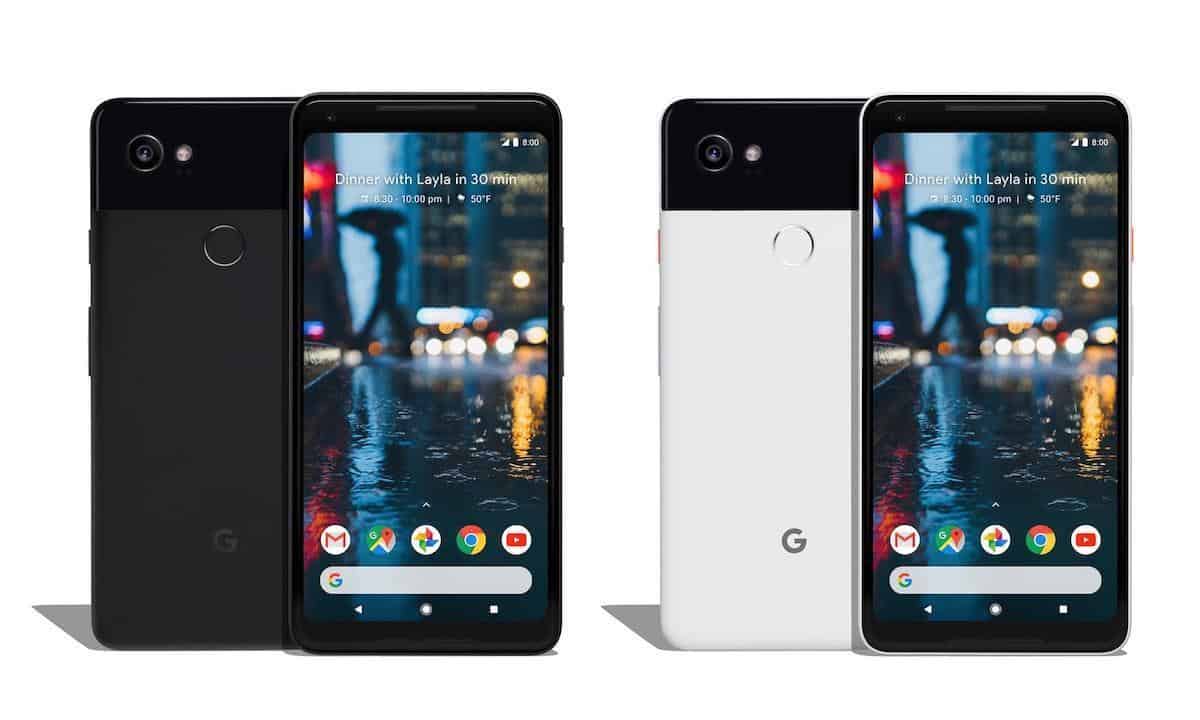
(Download) Action launcher’s new update brings Google Pixel 2 style dock

Action launcher

Image shows action launcher with Pixel 2 style dock, Image courtesy: Andrioidheadlines .com
Google’s Pixel devices brought a new high-end perspective to Android devices which were never seen before and along with that Google changed a lot about stock Android. And the most notable was in its UI.
It was a minimalist change but became quite popular among Android fans. It came in its new incarnation and was dubbed as the Pixel UI/launcher. Which then became the new face of stock Android and many OEMs as well as third-party launchers such as one of the best Android launchers the Nova launcheralso popularised its new look.
Following the same, Action launcher is also one the most downloaded launchers on Play store, without wasting anytime flowed its footsteps and has now introduced the latest Pixel 2 style dock with the google search bar layout, as well as its infamous gesture, triggered app drawer which arises from its dock. So, now the action launcher will also have the Pixel 2 style dock in its latest version that’s the v29.0.
Google Pixel 2 and Pixel 2 XL
Image shows Google Pixel 2 devices Image Courtesy: CNET .com
Traditionally, the google search bar can always be found at the top, but with this latest release it now finds its place at the bottom where the dock icons use to reside; with that said, the action launcher takes the new layout’s customisation to the next level by letting you do the following:
  • Change the color of the search bar
  • Use the G logo instead of Google for more clean looks
  • Same gesture to swipe up gesture to access the app drawer
  • Also have Instagram, twitter icons on the search bar for quick access
Moreover, you can also add their adaptive icons as Google has it in Android Oreo. Interestingly, with these third-party launchers pushing their development to new limits we can get closer to Google’s high-end stock Android experience, sure we still won’t get the fluid performance, but it’s visually close. Lastly, you can download the Action launcher from here! Followed by the adaptive icon pack from here which is a paid add-on.

Read More

Saturday, 7 October 2017

Unknown

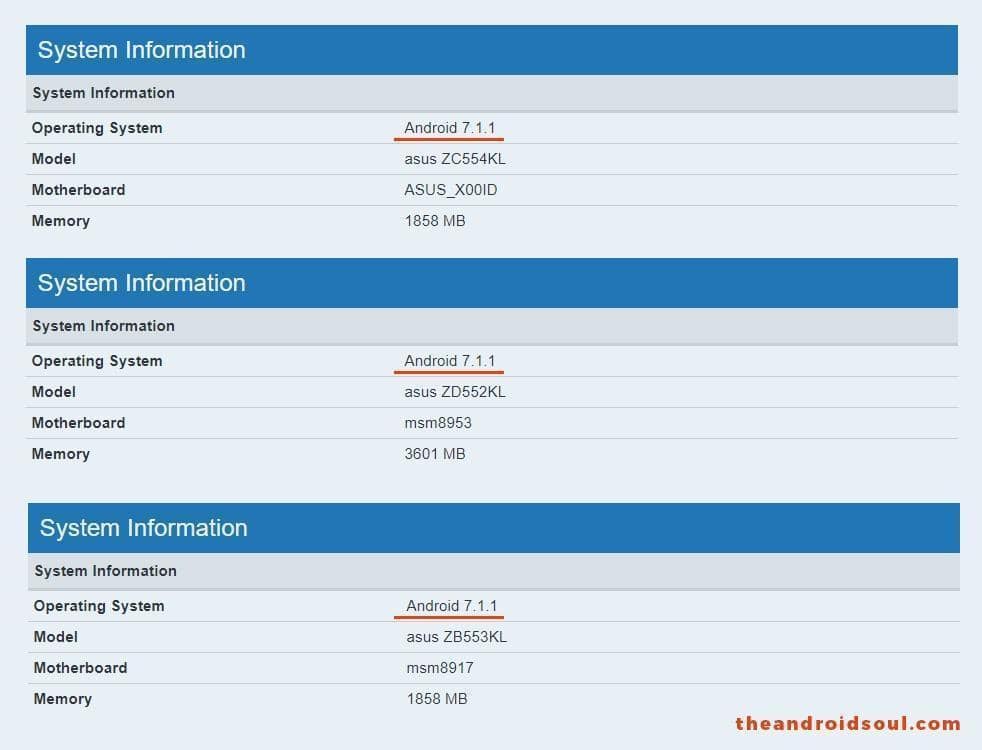
Asus Zenfone 4 Max/Max Pro/Selfie/Selfie Pro spotted running Android Nougat 7.1.1


Image shows listings of asus devices running on 7.1.1 Nougat, Image Courtesy: theandroidsoul .com
Asus as promised earlier is keen on updating its Zenfone series as they said in the past, and this set includes both the Zenfone 4 and Zenfone 3. However, now some devices have been spotted online running Android 7.1.1. These phones were launched on Android 7.0, and with this, it is confirmed that Asus is indeed working on updates.
The devices emerged online running Android Nougat 7.1.1 are as follows:
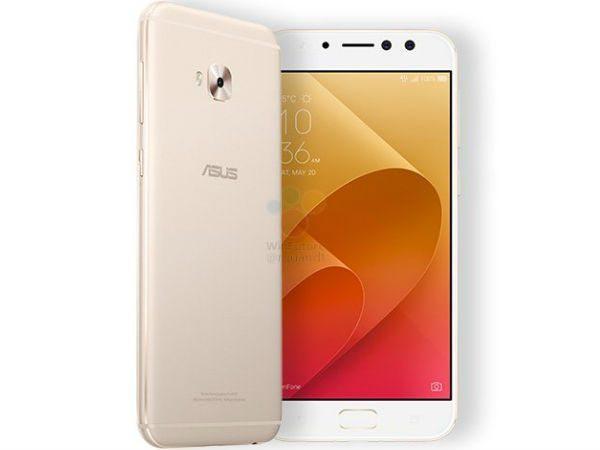
Asus Zenfone Selfie Pro
Image shows Asus Zenfone Selfie Pro
 Image Courtesy: www.gizbot.com
  • Asus Zenfone Selfie (ZB553KL)
  • Asus Zenfone Selfie pro (ZD552KL)
  • Asus Zenfone 4 Max and Zenfone Max Pro (ZC554KL)
Moreover, there no specific release date available yet, if this update arrives in early November 2017, then you should expect the Android Oreo 8.0 update way far in Jan 2018 ending or in early Feb 2018.

Apart from this, the Android Nougat 7.1.1 brings some few new upgrades with it starting with newly designed emojis; shortcuts can now directly be created on your home screen. Along with this, you also get performance, stability improvements, and known bug fixes.
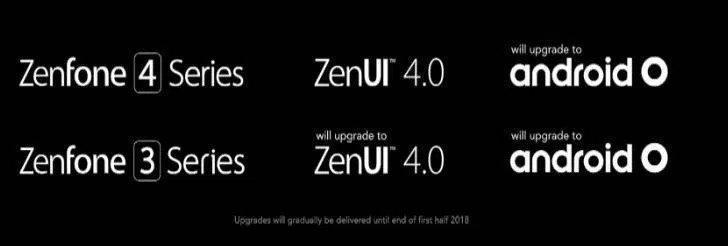
Asus Android Oreo update
Image Courtesy: asus.com
Asus has launched more than five devices this year under the Zenfone 4 series let’s see how it brings the Android Oreo update for both the Zenfone 3 and 4, along with that they have also promised to provide their new refined Zen UI, which is said to pack much less bloatware then before.
Meanwhile, here’s the complete list of Asus devices that will get Oreo all models covered from the 3 to 4 series, and we also talk about the Asus special editions such as the Zenfone Zoom and AR.
Read More
Unknown

Samsung Galaxy S8 and S8 Plus (Exynos) gets LineageOS 14.1 is Unofficially

Android Oreo
Image of the LineageOS 15 icon. Image courtesy: yourtechnocrat .com
When it comes to Custom ROM’s, CyanogenMod was a prevalent one, but sadly it got replaced by the Lineage OS. Now even though it is available for a lot of devices, there is a majority of devices left without support due to some reasons.
If you are in rooting and all from a while then you might be knowing that, there are some brands who don’t release there firmware related details, due to which it becomes challenging for developers to develop custom ROM’s for those devices.But we have good news for all the Galaxy S8 and S8 Plus users using the Exynos variant as the devices has finally gotten the Lineage OS 14.1 support Un-officially.
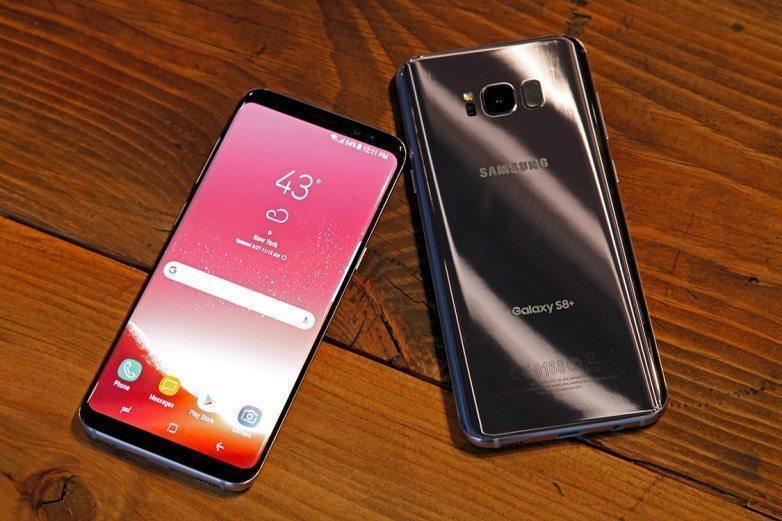
Galaxy S8 Plus
Image shows Galaxy S8 Plus smartphone Image Courtesy: gsmarena .com
For all developers, Samsung appears to be an annoying brand as most of the time they don’t release the firmware related information of their device. The fresh news is that from the side of an XDA developer an unofficial version of the Lineage OS 14.1 is released for the Samsung Galaxy S8 and S8 Plus. Unofficial Lineage OS 14.1 is specifically available for the Exynos version of the Galaxy S8 and S8 Plus.
For the Exynos versions of the Samsung devices custom ROM’s are hardly available. Even if you recall then old Samsung Galaxy S6-series and the Samsung Galaxy S7-series have officially received the Lineage OS.
The unofficial Lineage OS is based on Android 7.1.2 Nougat and is not entirely stable which indirectly means that you cannot use it in your daily device. If you are a developer type person, then you can surely try it. The download link is present below:
Download Lineage OS 14.1
Read More
Unknown

Sony adds its Xperia XZ1 and Xepria XZ1 compact to Open device program

Sony
Image shows Sony logo Image Courtesy: pctablet .com
Sony’s open source project called the Open device program is a place for Sony developers to contribute towards the AOSP community and also for Sony devices. You as a developer get access to the Github source code as well as get to support the Sony devices. And the Japanese tech-giant has been tremendously developer oriented from the past year, and the company also shook everyone as in IFA they launched their devices with Android Oreo pre-installed.
These devices include the Sony Xperia XZ1 compact and earlier launched XZ, and now both these smartphones are added to Sony’s Open Device program. So, with this, you’ll be able to gain use and access, work done by other developers and also be able to contribute your share to the ever-growing community.
However, do remember that this is more developer oriented than to regular consumers, who aren’t much into rooting and advance smartphone development. Check on here, for some guidelines you need to grasp if you want to blend into Sony’s Android Oreo development.
Xperia XZ1 and Xperia XZ1 compact
Image shows Xperia XZ1 and XZ1 Compact, Image Courtesy: developer.sonymobile. com
You can check out some exciting ongoing projects here, And for the GitHub links for development of the two devices just check them out below:
And get going with all the tools provided to you to develop your software and release it for a vast group of Xperia users. Lastly, if you want to use other’s work, do note that it won’t be stable always and might have some minor bugs so keep this mind before you proceed and do check the forums for further information.

Read More
Unknown

Samsung Galaxy S8 and Galaxy S8 Plus users are facing a weird issue

Galaxy S8 and S8 Plus
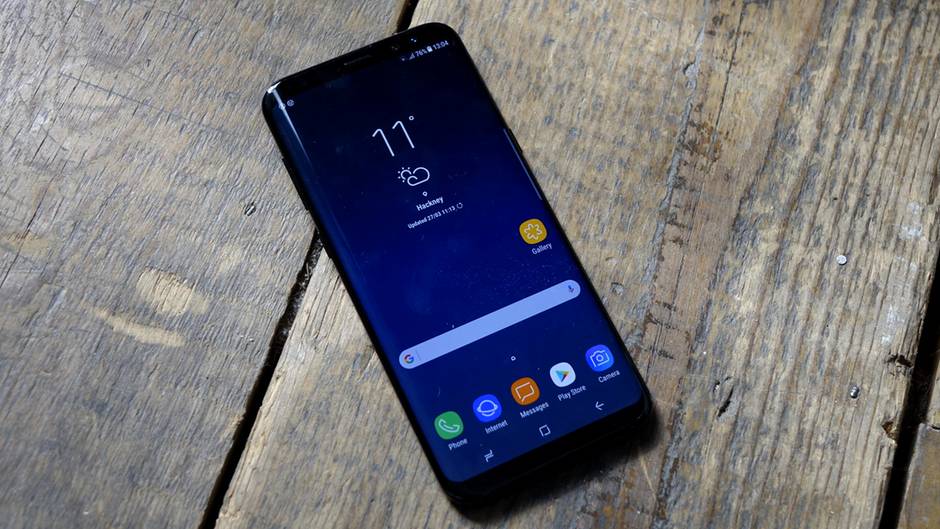
Image shows the Samsung Galaxy S8 and Galaxy S8 plus Image Courtesy : GSMarena .com
Samsung Galaxy S8 and Galaxy S8 Plus users are experiencing some issues with their devices, which is that they’re not receiving complete text messages, from the sender; the users are only getting half text messages. The remaining part never reaches to them and its not with just a few users, but many users have raised this issues in many forums.
These complaints are all coming from the users having the Qualcomm’s Snapdragon 835 Soc variant of the Samsung Galaxy S8 and S8 Plus. Moreover, few have also blamed the different networks for this issues. Moreover, it’s not just happening on one carrier its plagued on Verizon, AT&T, and on Sprint as well.
Samsung Galaxy S8 Front View
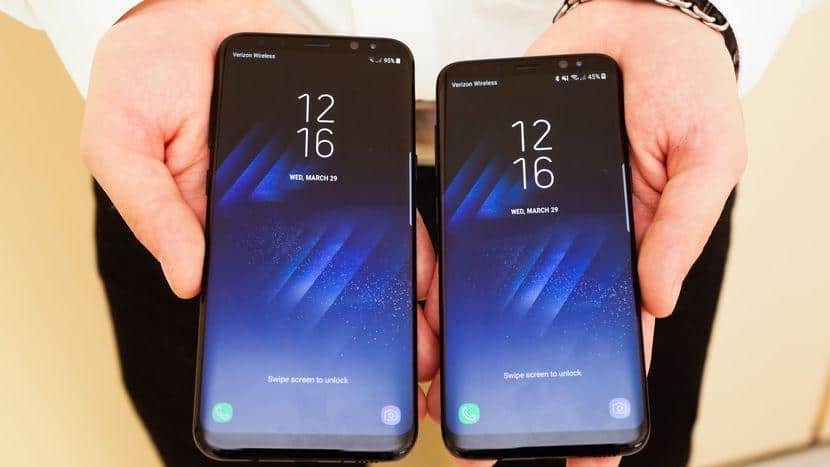
Samsung Galaxy S8 Front View Image Courtesy: TheVerge.com
While some T-Mobile users also complained about the same, but a temporary fixed was talked about, in which you disable the WiFi, calling feature of your phone and the issues get resolved for some time.
However, it’s not guaranteed to work for everyone. Still, you can give it a shot. Some users also tried to switch to some other third party messaging, and it too didn’t work, so if you were thinking the same, you should drop that idea.
However, neither Samsung nor any of the carriers have acknowledged the issues faced by Galaxy S8/S+ owners yet. Apart, from that this matters of receiving just half text messages are only observed in the US, while other parts of the world aren’t having such problems yet. We will update if any party acknowledges and provides a fix for this, and provide you with a detail explanation on how to fix this issues, on your Galaxy S8/S8+.
Read More